
There are several reasons why a Google Doc or Google Slides is not an acceptable format for the Alberta Champions contest entry.
- Only YOU have access to your Google Doc(s). Google protects your privacy and your data behind a login
- The various people involved in our judging process need to have access to your entered document(s) or multimedia presentation(s)
- A Google doc is an online file “in the cloud” that you can access and update after you have submitted you entry. This creates an unfair advantage to those entering with a Google file instead a Word document (or PowerPoint file)
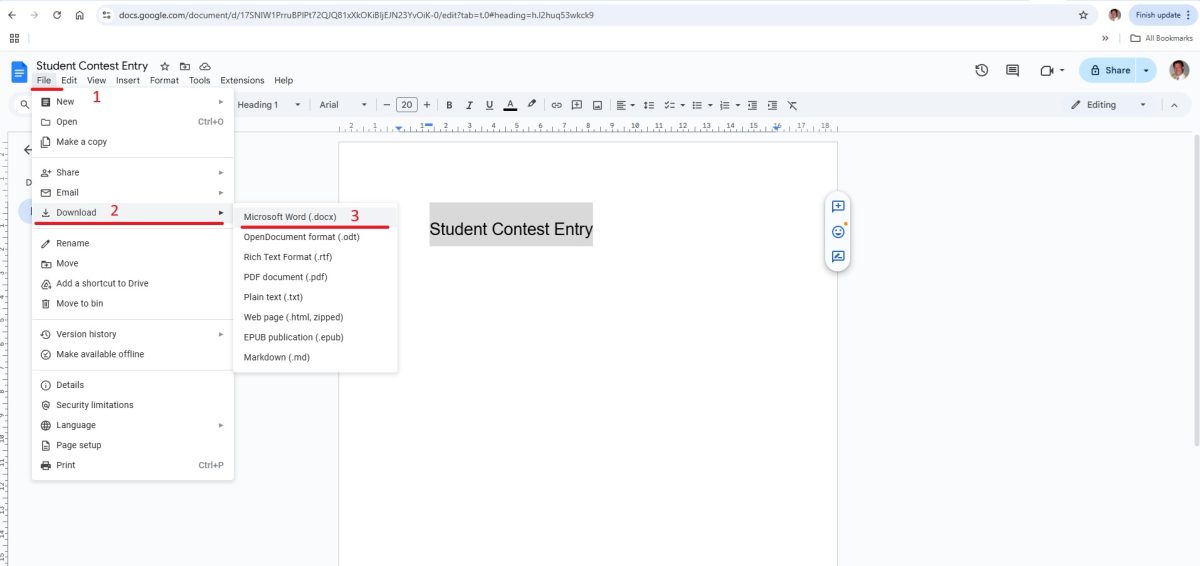
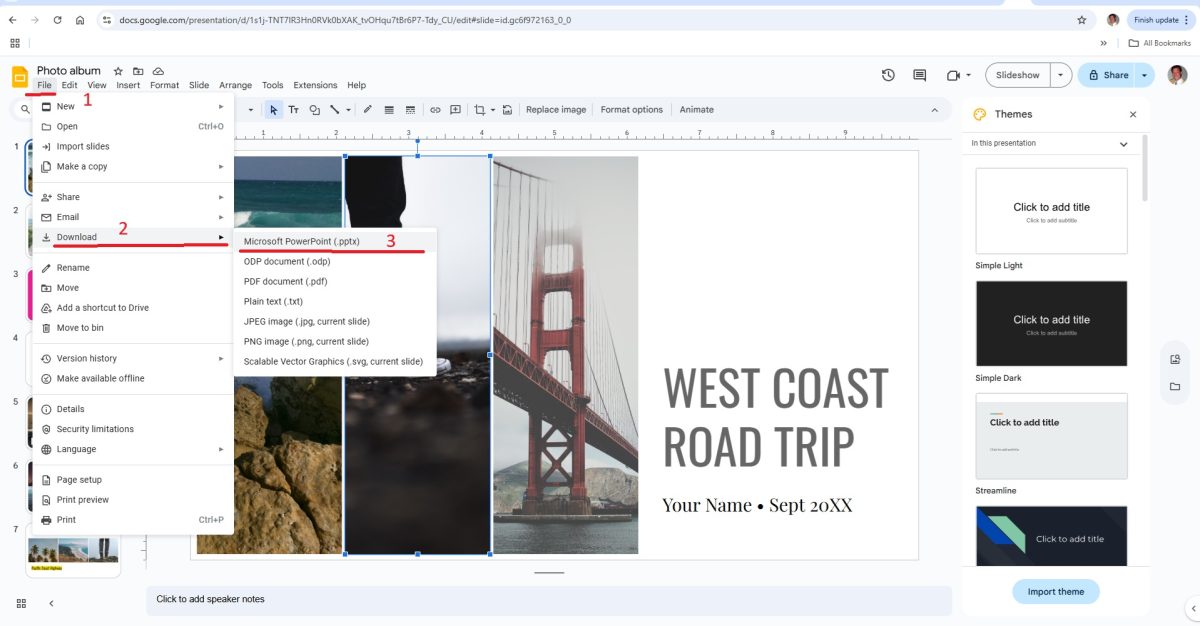
This is why YOU MUST use the File-Download function to export your Google Doc is as a Word document file or or Google Slide as a PowerPoint presentation file (respectively). The export funciton in Google faithfully converts your images, text, and fonts in the Microsoft file formats.
Converting Google Doc to a Word document
Here is how to do it in Google Docs:
Converting Google Slides to a PowerPoint presentation
Then Upload the File
Once you haved converted the Google Doc document or the Google Slides presention, you can upload the file from your computer to the Contest Entry Form
If you have already submitted your Contest Entry Form, you can REPLY to the Cantest Entry Confirmation Email and and attach the file, and we will enure your file is included with your entry.